

 |
 |
 |
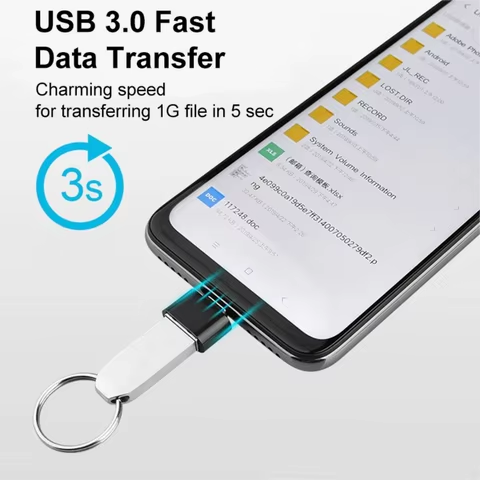
🔌 Mini USB-C to USB 3.0 Adapter
I ordered this Mini USB-C to USB 3.0 Adapter mostly out of necessity. I’ve recently upgraded to a MacBook Air M2, and like many, I found myself scrambling for ways to connect my regular USB drives and peripherals. This tiny adapter promised a plug-and-play solution without breaking the bank.
Why I chose it: Most USB-C to USB-A adapters in the U.S. range from $10 to $20 for just one piece. On AliExpress, I got two for around $2.50 total. Honestly, I didn’t expect much because of the price, but I figured it was worth the risk.
First impressions & use: Delivery took about 2.5 weeks, which is pretty average for AliExpress. The adapters came in a padded envelope, each in its own plastic sleeve. Right out of the box, the metal finish looked premium—almost identical to the Anker ones I’ve seen in stores. I tested it with my external hard drive and USB flash drive—both worked instantly. No lag, no connection drop.
Pros:
-
Compact and sturdy
-
Great data transfer speed (comparable to my original Apple adapter)
-
Compatible with multiple devices (iPad Air, MacBook, even a Samsung S22)
Cons: – Can get a little warm during extended use – No branding or instructions (not a big deal if you’re tech-savvy)
Price comparison: Compared to U.S. market prices, this is an absolute steal. A similar adapter on Amazon would easily be 4x the price.
Final verdict: Exceeded my expectations in quality and reliability. If you’re working with USB-C devices and need a few backup adapters, this is the one.
$0.99
 |
 |
 |
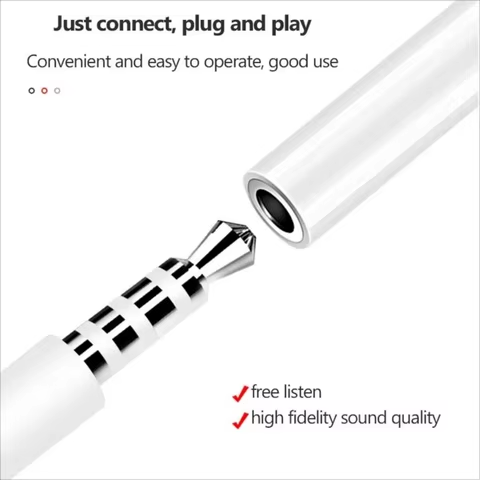
🎧 Lightning to 3.5mm Headphone Jack Adapter
This iPhone Audio Jack Adapter caught my attention because Apple stopped including headphone jacks, and I still use wired headphones for better audio quality while editing.
Why I chose it: Apple’s original adapter is around $9–$10. I picked this one up for under $2 on AliExpress, and I wasn’t sure if it would work well with my iPhone 13 Pro—but it does.
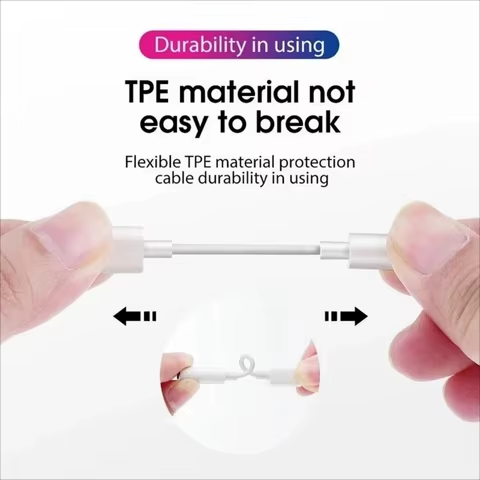
First impressions & use: Arrived in just under 3 weeks. The packaging was minimal but functional. The build quality is surprisingly solid. The aluminum casing gives it a sleek, durable feel. I tested it with Spotify, YouTube, and even voice calls. The audio came through crisp and clear, and the mic worked fine on calls.
Pros:
-
Excellent sound quality
-
Solid connection, no drops or distortion
-
Works with iOS 17.5 on my iPhone 13 Pro
Cons: – Doesn’t support in-line controls (no volume adjustment or track skipping) – Might not support future iOS updates (unknown)
Price comparison: At a fifth of Apple’s price, this is an incredible bargain.
Final verdict: For basic listening, this adapter does the job extremely well. Just don’t expect full Apple-level integration.
$1.33
 |
 |
 |
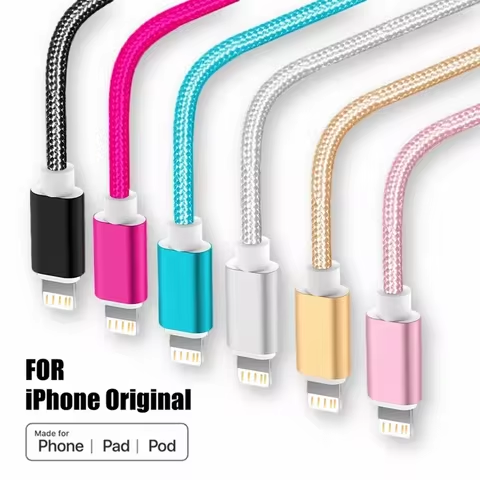
⚡ Braided iPhone Fast Charging Cable
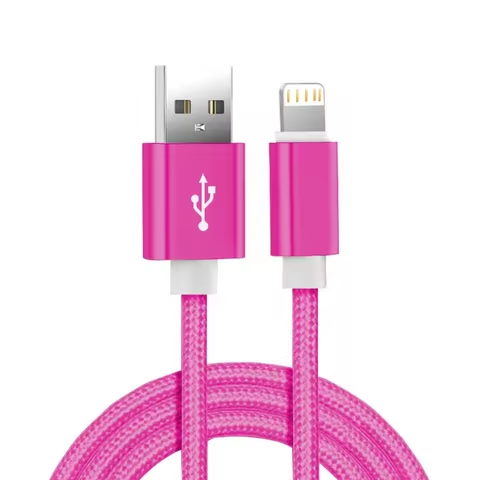
I always keep extra iPhone charging cables around, and this Nylon Braided Lightning Cable seemed like a smart buy for the car and office.
Why I chose it: The braided design and claimed fast charging support drew me in. U.S. stores charge $15–$25 for a similar quality cable. I grabbed two (2m and 1m) for around $4 total.
First impressions & use: Shipped quickly—just over two weeks. The cables feel durable and flexible, not stiff like cheaper plastic ones. I tested with both a 20W and a 12W charger. The fast-charging worked on my iPhone 12 and iPad 9th gen.
Pros:
-
Real fast charging (verified with battery app)
-
Strong braided outer shell
-
Reinforced connector ends
Cons: – No MFi certification (yet works just fine) – The 3m cable had minor signal interference in one test (rare)
Price comparison: Far better than $19 Apple cables. Performance is nearly identical.
Final verdict: Great everyday cable for a fraction of U.S. prices. I’m ordering more to keep as backups.
$1.33
 |
 |
 |
🎮 Nintendo Switch Joy-Con Handle Grip
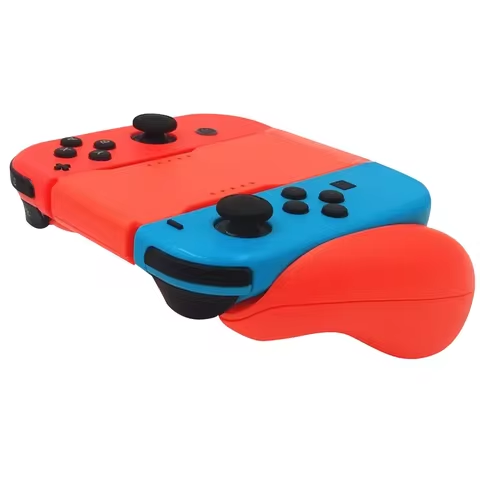
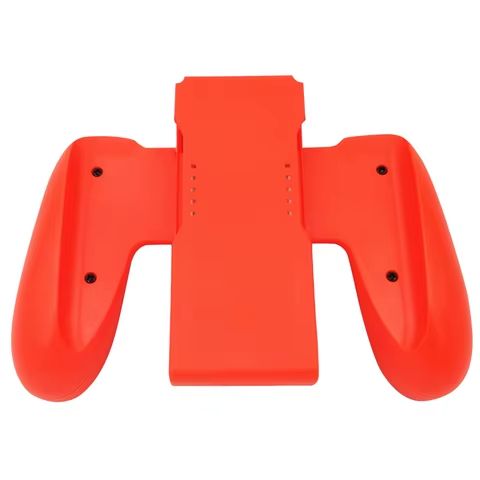
I picked up this Switch Joy-Con Grip Bracket mainly for Mario Kart nights with friends. I wanted something that made the Joy-Cons feel more like a traditional controller.
Why I chose it: The design mimicked the official Nintendo accessory, but cost less than $2. U.S. versions start at $10 for one.
First impressions & use: Took about 3 weeks to arrive. The plastic is lightweight but feels sturdy. Snapping in the Joy-Con is easy and secure. I used it in both vertical and horizontal orientation, and it stayed comfortable for long sessions.
Pros:
-
Comfortable grip
-
Easy to insert/remove Joy-Con
-
Compatible with all Joy-Con colors and versions
Cons: – Slightly bulkier than I expected – Edges could be smoother
Price comparison: At 80% less than U.S. versions, it’s an unbeatable deal.
Final verdict: A great low-cost upgrade to improve your Switch gaming experience.
$1.33
 |
 |
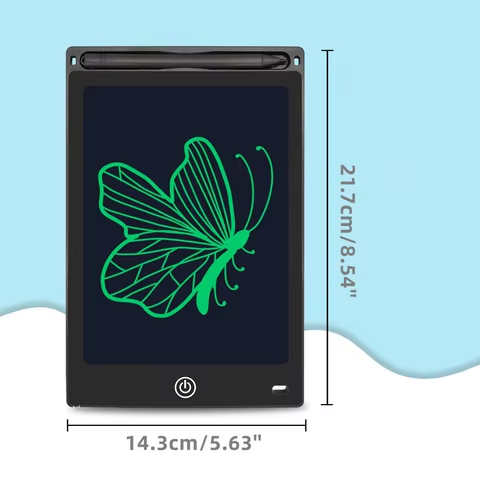 |
🖊️ LCD Drawing Tablet for Kids (8.5”)
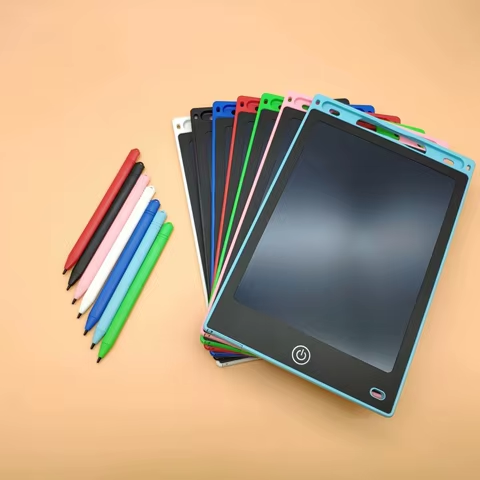
I bought this Kids’ Drawing Tablet as a gift for my niece who loves drawing. I was skeptical at first but pleasantly surprised.
Why I chose it: Most tablets like this in U.S. stores are around $15–$20. This one cost under $4. It claimed to be lightweight, easy to use, and eco-friendly—big pluses for a kid’s toy.
First impressions & use: Arrived in about 18 days. It’s ultra-light and came with a stylus attached. The screen is bright enough, and clearing the screen with one click works flawlessly. My niece loved it from the first minute. She’s been using it to doodle, practice writing letters, and even play “guess what I drew” games.
Pros:
-
Very light and portable
-
One-button erase
-
Zero setup needed
Cons: – No backlight, so not great in dim lighting – Not as vivid as an iPad, but not meant to be
Price comparison: No comparison at this price point—massive value.
Final verdict: Perfect gift idea. I might get more for party favors.
$1.33
 |
 |
 |
✍️ Apple Pencil Alternative for iPad
I needed a budget stylus for note-taking and casual sketching, and this iPad Stylus Pen looked promising.
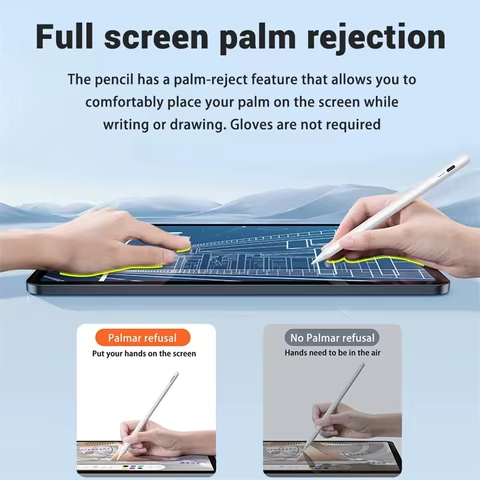
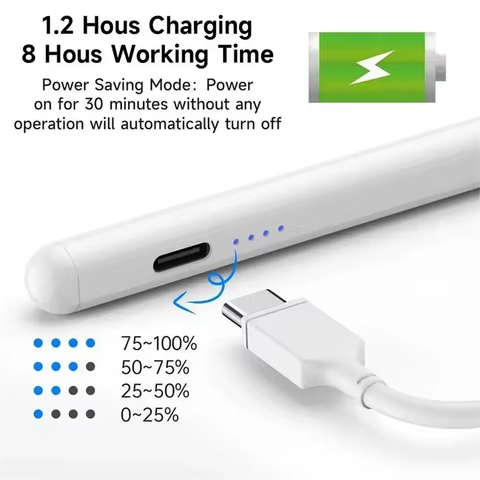
Why I chose it: The Apple Pencil is $129. This one was under $10, had palm rejection, magnetic snap-on, and USB-C charging.
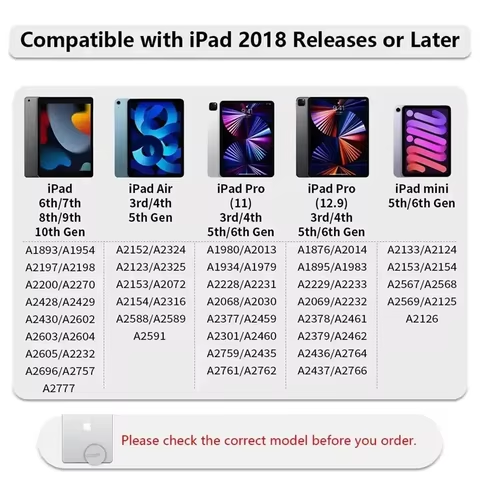
First impressions & use: Delivered in about 2.5 weeks. Surprisingly good build—sleek, matte finish. Paired instantly with my 10th-gen iPad. The tip is responsive, with barely any lag while writing in Notability and Procreate. Charging is fast, and battery lasts several days with moderate use.
Pros:
-
Palm rejection works!
-
Charges fast via USB-C
-
Magnetic attachment to iPad
Cons: – No pressure sensitivity – No Bluetooth features like double-tap
Price comparison: At a tenth of the Apple Pencil’s price, this is an incredible budget option.
Final verdict: If you’re not a digital artist and just need a solid stylus, this one really delivers.
$2.33
Overall Impressions
Honestly, I didn’t expect all six items to be this solid—especially for the price. Delivery ranged from 2 to 3 weeks, which is fine for non-urgent buys. None of the products arrived damaged, and all of them worked right out of the box.
The best part? I spent less than what one original Apple Pencil would cost in the U.S.—and got useful, functional gear across multiple categories.
I’m definitely going to order more. AliExpress exceeded my expectations this time, and I’d recommend these specific items to anyone looking for budget-friendly but reliable tech accessories.


